Executing a test
WARNING
Risk of serious injury or death!
Do not start a test if there is anyone standing or working near the machine. Ensure the surrounding area is clear.
To execute a test matrix, follow these steps:
-
From the home page, select Set Testing Location and select the appropriate location.
-
From the home page, select Test Session and select the appropriate session name.
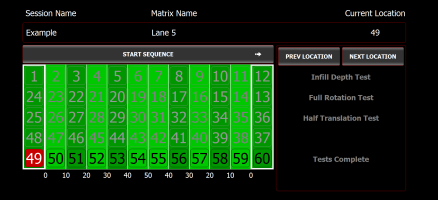
The Run Test Session screen is displayed.
Run Test Session screen
-
Check the following:
-
Verify that the test matrix and sequence are correct.
-
Make sure the hoist is unlocked and the E-stop is not engaged.
-
Make sure the area surrounding the machine is clear.
-
-
Select Start Sequence to begin the test sequence.
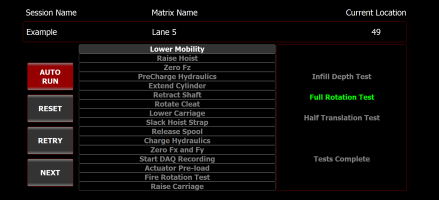
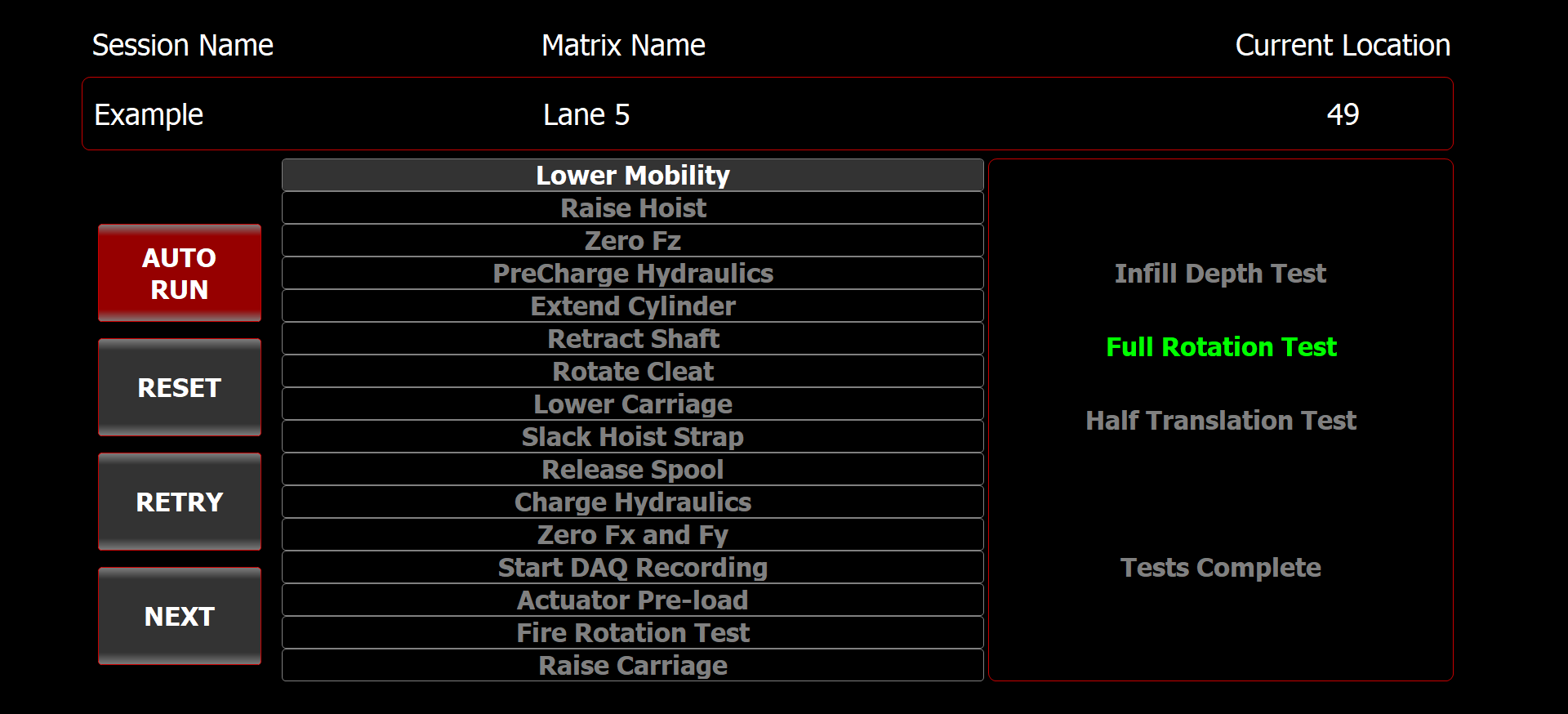
Monitor the tests in the Rotation Test screen as they are performed.
Rotation Test screen
-
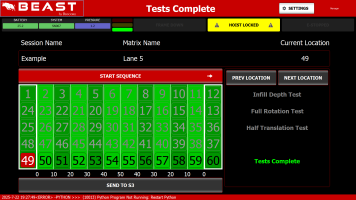
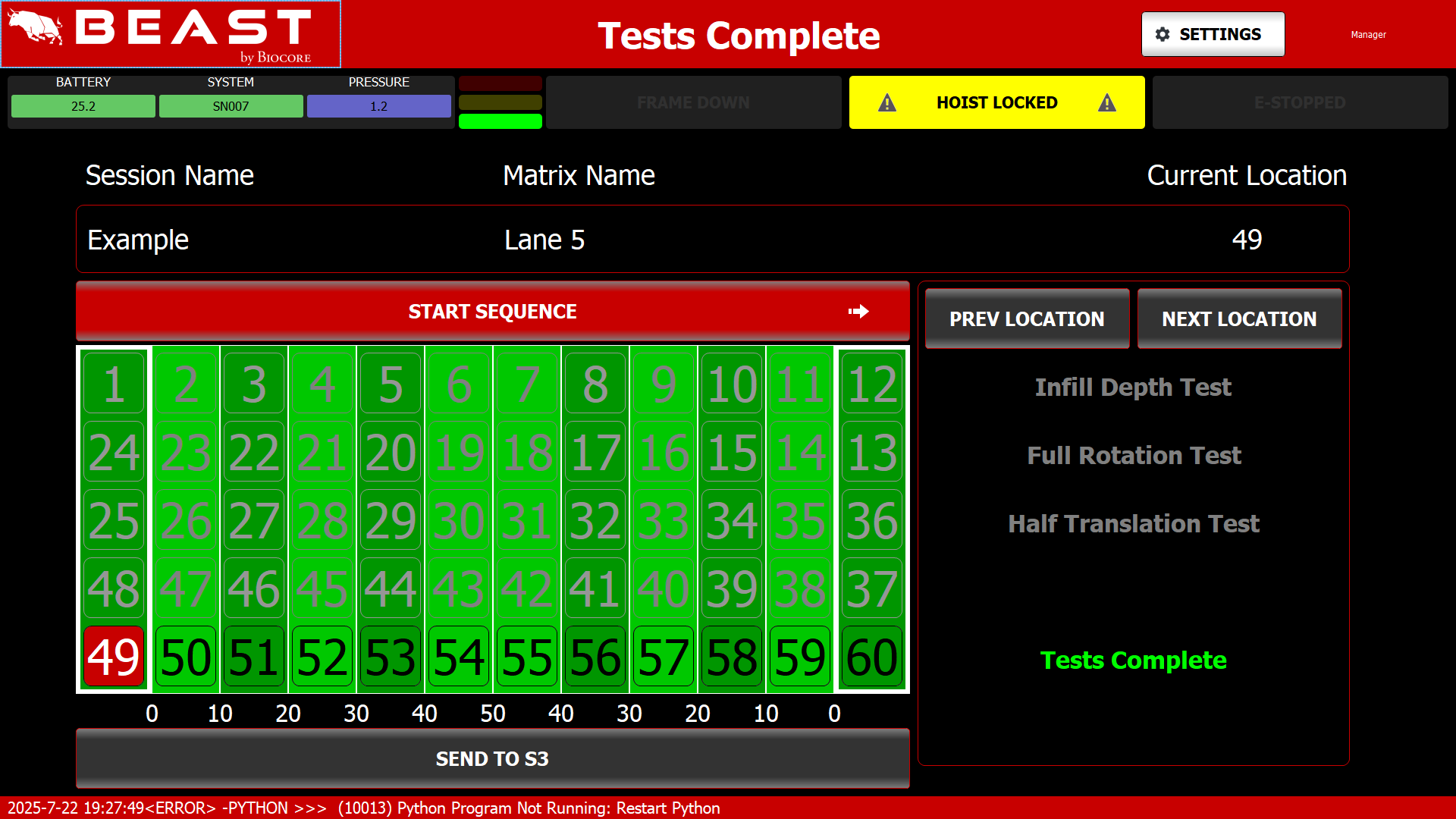
When the test is finished, Tests Complete is highlighted and the frame raises to the Center (intermediate) position.
-
If the test matrix contains more than one location, move the machine to the next test location and select NEXT LOCATION.
Tests Complete screen
-
Repeat steps 3 to 6 until the test matrix is complete.
-
When the test matrix is complete, use the manual control page to raise the frame to the top position before towing the device off the field.
► See "Moving the machine from the field to storage".
Tip
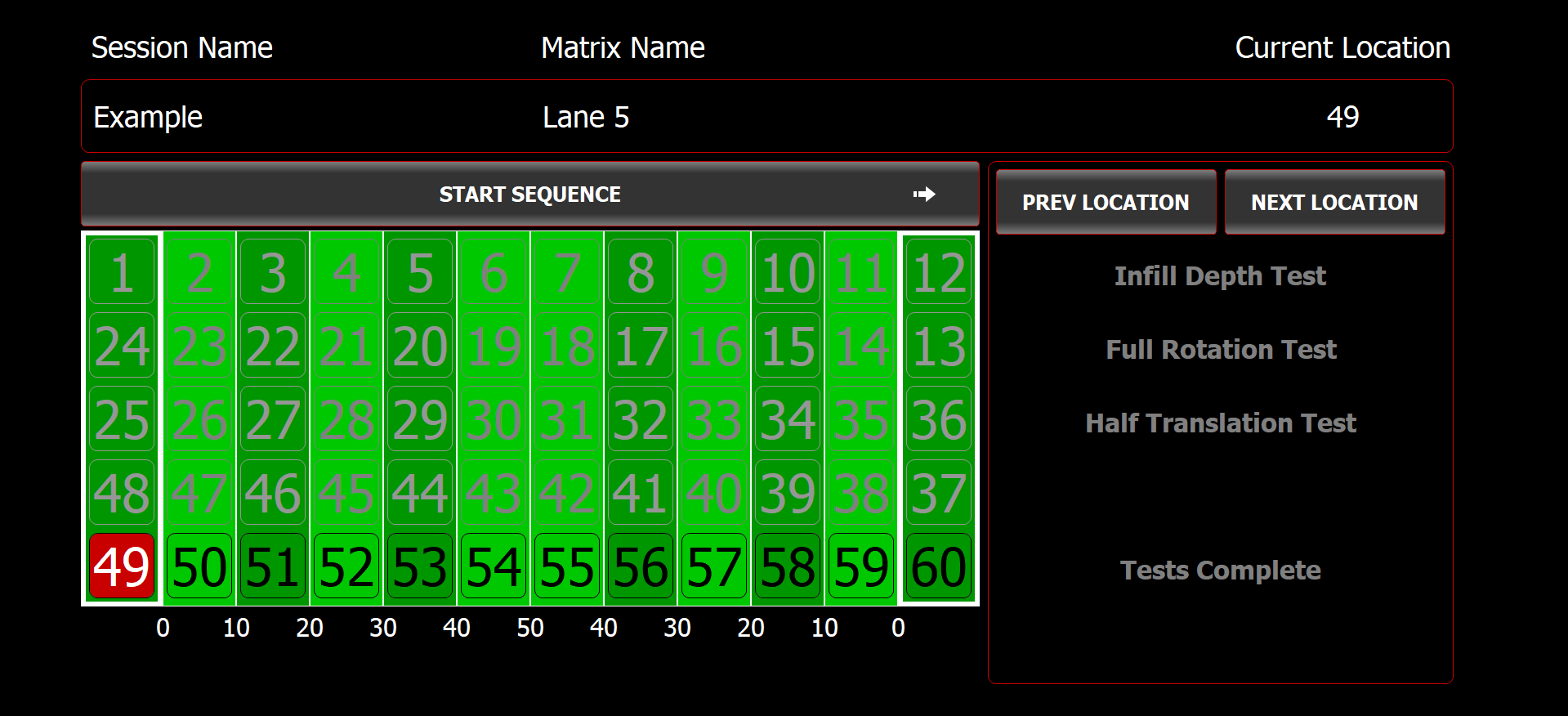
Tests should not be repeated in the same location on the field.